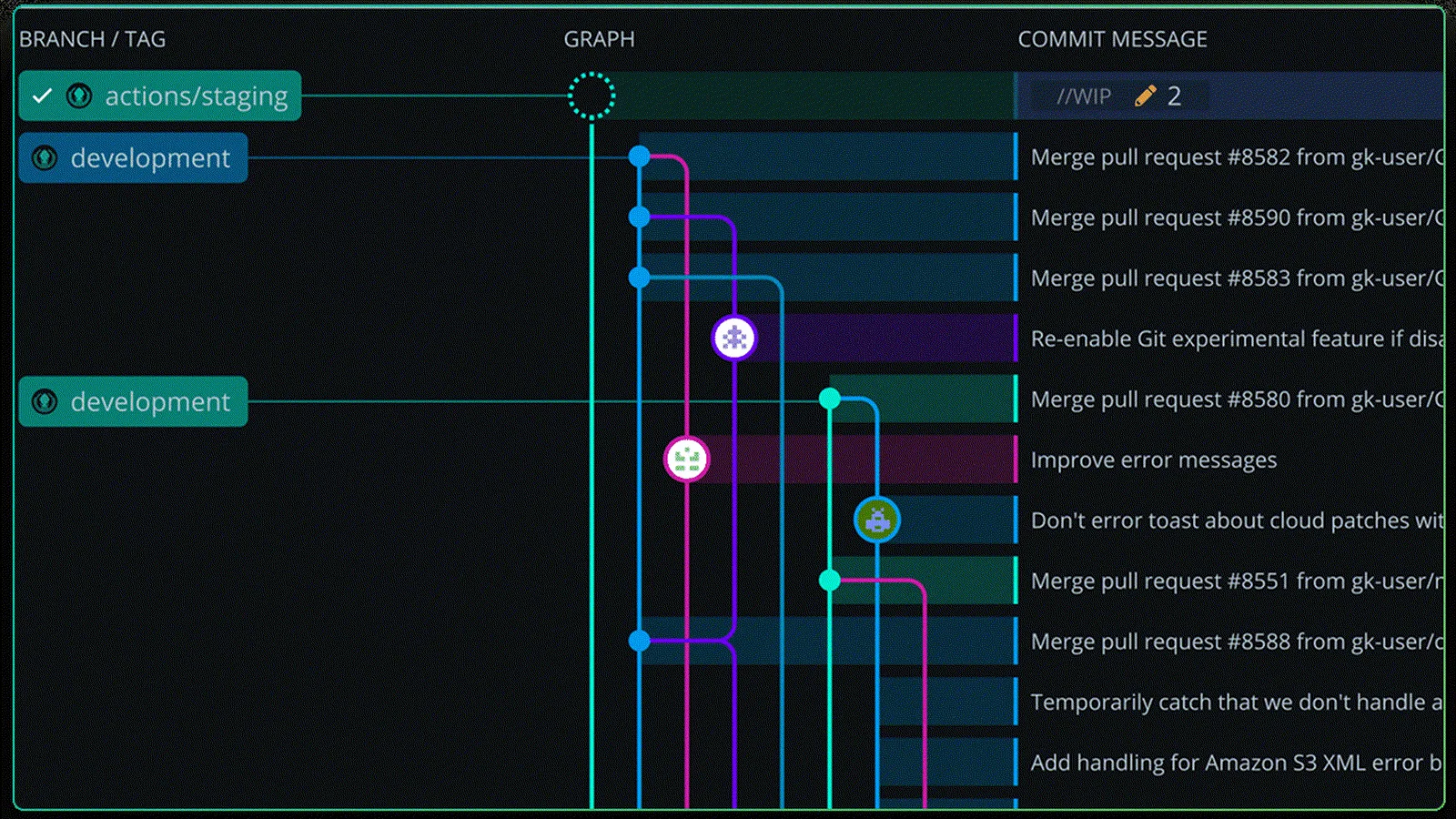
Git can feel intimidating when you’re new to it, but clean history is not an advanced trick. It is a habit that pays dividends. Once a team starts doing staged releases, hotfixes, cherry-picks, or selective reverts, the shape of the history starts to matter. A branch that tells a clear story is easier to review and easier to unwind when something breaks.
That is why teams clean up feature branches before they share or ship them. The motivation is practical: clean branches make release work simpler.
Why clean history matters
A clean commit history makes release work and review work easier:
- Cherry-picking into release branches. If one fix needs to move without the rest of the branch, clean commits make that possible.
- Reverting a bad change. Reverts are safer when one commit maps to one real unit of work.
- Reviewing what changed. A reviewer can follow the branch without decoding sync noise.
- Tracking file history later. When someone asks why a file started behaving differently, the history gives you a usable answer.
This shows up fast on teams with separate development, QA, staging, and production branches. The release manager does not want to dig through five “fix conflict” commits to figure out what actually shipped.
There is also a subtler problem with messy merge history: merge commits can hide real code changes. When someone resolves conflicts during a merge, that commit can include decisions that never existed in either parent branch exactly that way. In a noisy history, those changes are easy to miss in review.
The easiest cleanup habit: amend small fixes
If you make a commit and then immediately notice a small mistake, you usually do not need a brand-new follow-up commit. The command is:
git add .
git commit --amend --no-edit
That keeps the previous commit message and folds your small staged changes into the last commit.
This works well when you caught the issue right away, for example:
- forgotten imports
- formatting cleanup
- a small typo
- one missing file
- a tiny logic fix you caught right away
Step by step: how to amend the last commit
- Make the small correction.
- Stage it:
git add . - Amend the previous commit without changing its message:
git commit --amend --no-edit - If you already pushed that feature branch, update the remote safely:
git push --force-with-lease
The result is one clean commit instead of a stack like “fix typo,” “forgot file,” and “real fix.” That makes review easier and makes later cherry-picks or reverts less annoying.
Why rebasing is usually cleaner than repeatedly merging development into your branch
A common habit is to merge development back into a feature branch whenever it falls behind. Git allows that, but the result is often a branch history full of merge commits that add very little value.
In most feature-branch workflows, rebasing gives you a cleaner history.

When you rebase your feature branch onto the latest development, Git reapplies your work on top of the updated base. That keeps the history linear and much easier to read.
Why that helps:
- The branch reads in one direction instead of zig-zagging through sync commits.
- Cherry-picks and reverts are easier because the commits that matter are easier to spot.
- Reviews stay focused on the feature instead of every sync point with
development. - If you do have to resolve conflicts, rebasing makes it clearer where those decisions happened.
Step by step: rebase your feature branch onto development
I am using development here because many teams do, but the same workflow applies if your base branch is named main.
If your branch is feature/my-work, the basic flow looks like this:
- Check out your feature branch:
git checkout feature/my-work - Fetch the latest remote changes:
git fetch origin - Rebase onto the current development branch:
git rebase origin/development - If Git reports conflicts, resolve them carefully in your editor. This is the part where you are making real code decisions, not just clicking through prompts.
- Stage the resolved files:
git add . - Continue the rebase:
git rebase --continue - Repeat until Git finishes.
- If the branch already exists on the remote, push the rewritten history safely:
git push --force-with-lease
For many teams, that is enough to keep feature branches readable.
A practical rule of thumb
- Amend when you are fixing the commit you just made.
- Rebase when your feature branch needs the latest base branch changes.
- Be more deliberate about merge commits when all you are doing is syncing your branch.
None of this means merge commits are always wrong. They are useful in some workflows. But if your personal feature branch is collecting merge commits as a substitute for regular rebasing, the history usually gets harder to review and harder to untangle later.
Some additional notes and caveats
Do not rewrite history on a branch your team shares casually. If other developers are branching from development, testing against qa, or deploying from staging or production, rewriting those branches will create confusion fast.
Do not chase perfect history at the expense of shipping. If a branch is already shared broadly and the safe move is to merge once and move on, do that. Clean history is a means to safer releases and easier maintenance, not an end in itself.
Don’t lean on the squash-and-merge github feature. It’s better than doing nothing, but it allows your mental model to degrade and doesn’t help your fellow reviewers.
Further learnings
Once you have these 2 easy tips down, check out interactive rebasing as well as git --fixup.
With an interactive rebase you can reorder, combine, and delete your commits.
Related reading
- From Cursor prototype to production: what it actually takes
- Internal team development
- Technology audit
Clean Git history can feel optional until you need to cherry-pick a fix, revert a feature, or explain exactly what changed in production. That is usually when the cleanup work starts paying for itself.